Assign a User to a Group
Administrators can add users to a group, assign multiple users at once, and manage the content they can access.
In this tutorial, we will explain how to assign a user to a group.
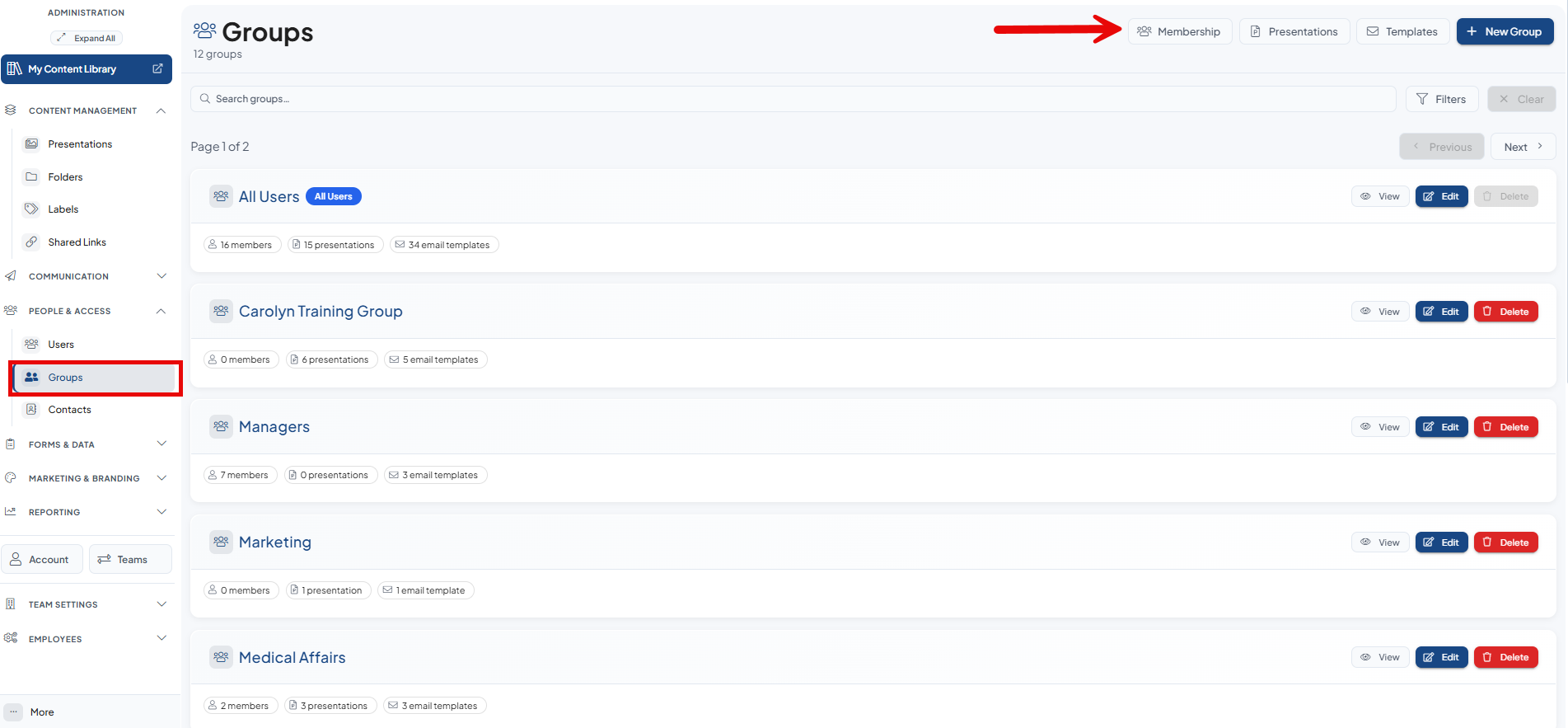
From the Main Navigation menu, select Groups under People and Access from the Main Navigation Menu
In the upper-right corner, select Membership.
Locate the user you want to assign to a group.
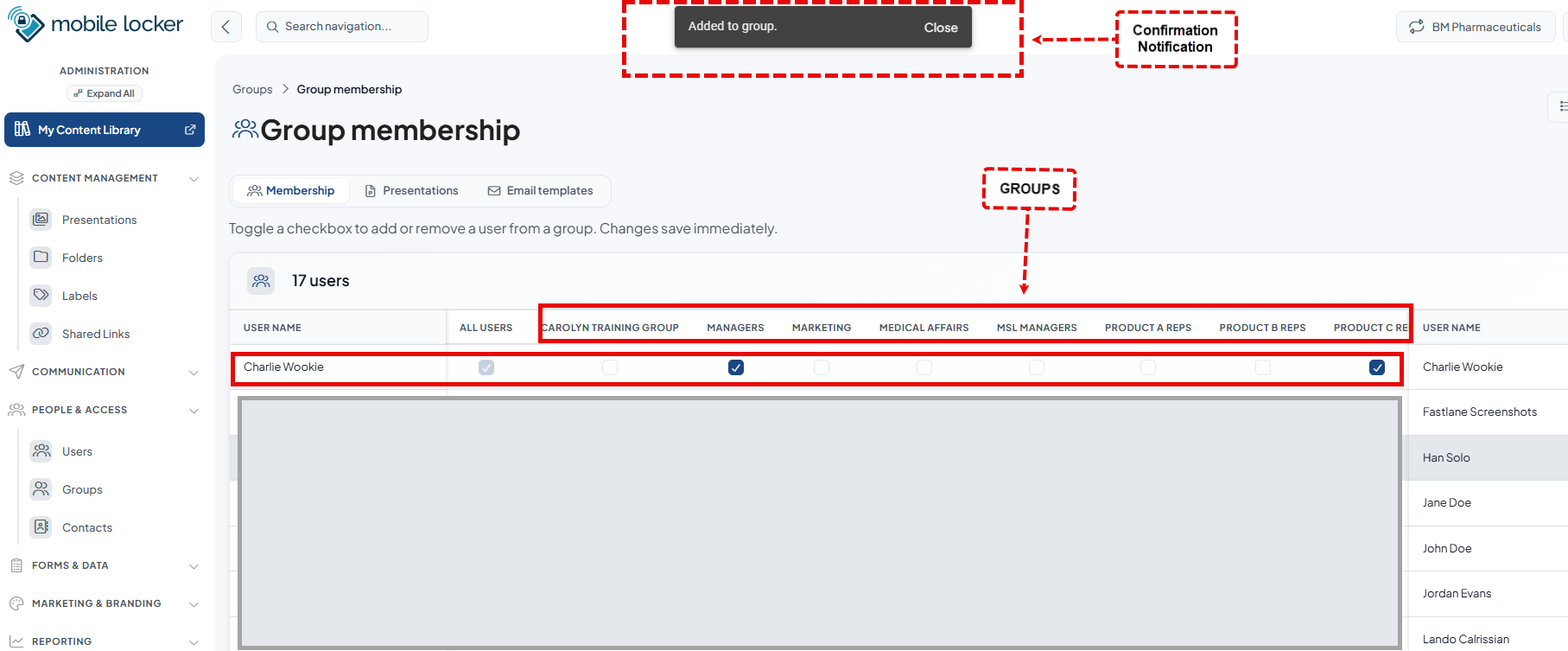
Under the desired Group column, select the checkbox next to the user's name.
The user is added to the group immediately.
A confirmation notification appears at the top of the page when the update is successful.
Note: Select the checkbox again to remove the user from the group. Changes are saved automatically.