
Move a Folder
- In the left navigation pane, under Content Management, click Folders.
- Open the Parent folder to view its contents, including subfolders and presentations.
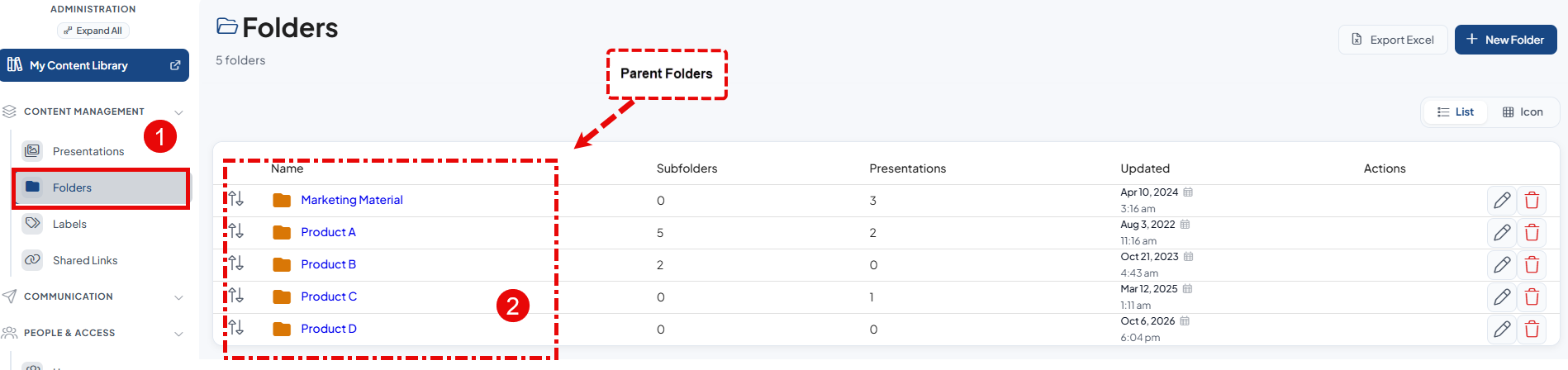
- In the Subfolders section, locate the subfolder you want to move.
- Click the Move icon beside the subfolder name.
- In the New Parent Folder drop-down list, select the destination parent folder.
- Click Move to save the changes and relocate the subfolder.


A confirmation notification appears in the upper-right corner when the folder is moved successfully. Verify that the folder is displayed in its new location.
