
How to open another presentation on Android
While a presentation is already open, you can open a different installed presentation without going back to Content Library first. The Android picker is a sheet titled Open Another Presentation.
Before you start
- The presentation you want must be installed on this phone or tablet.
- A presentation that is already open is not listed again.
- The Open Another control is hidden when only one presentation is installed.
Open the picker
- Open a presentation.
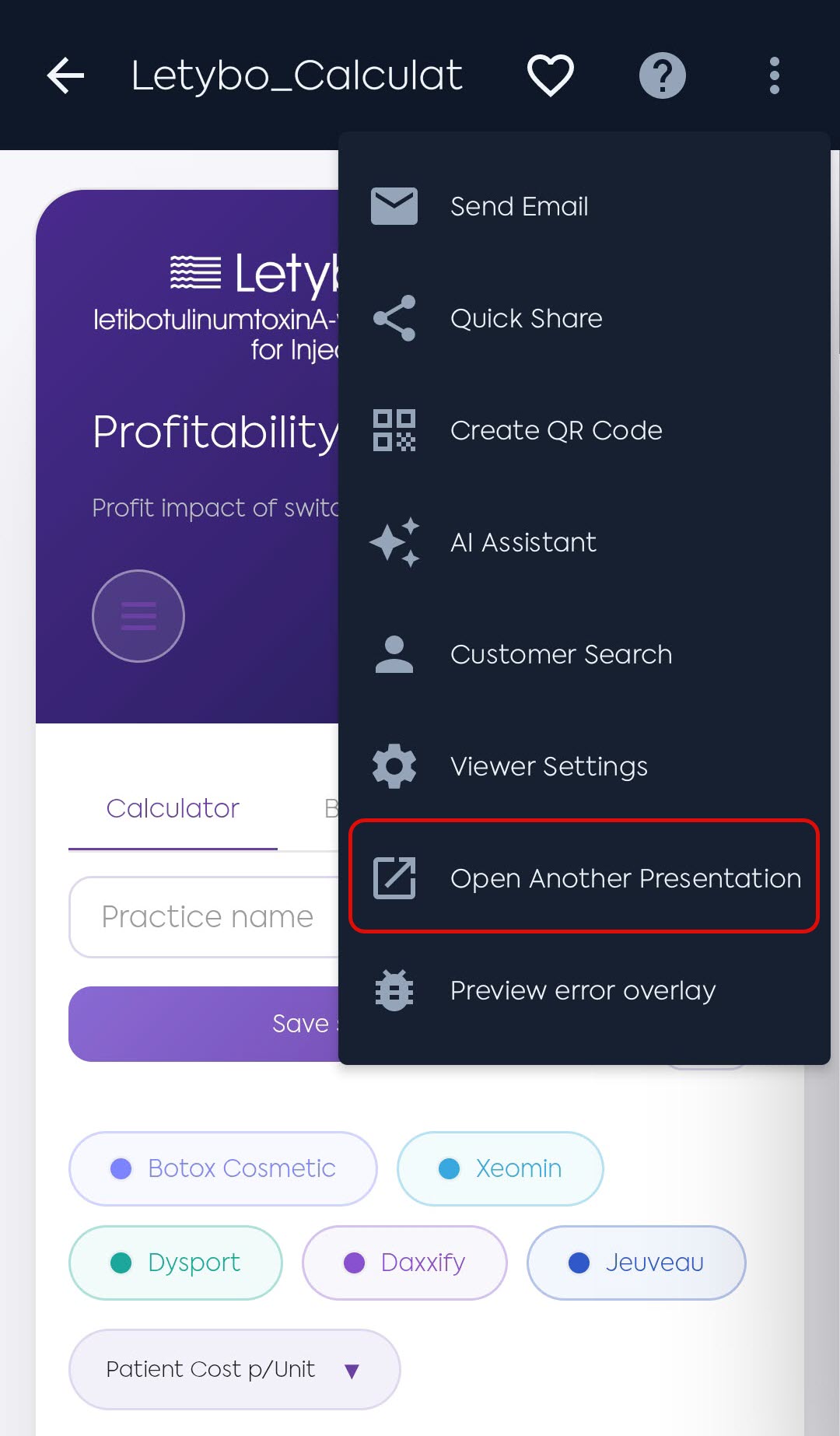
- Tap Open Another Presentation. On a phone, that action can live in the overflow menu (three dots) so the back arrow stays on screen.
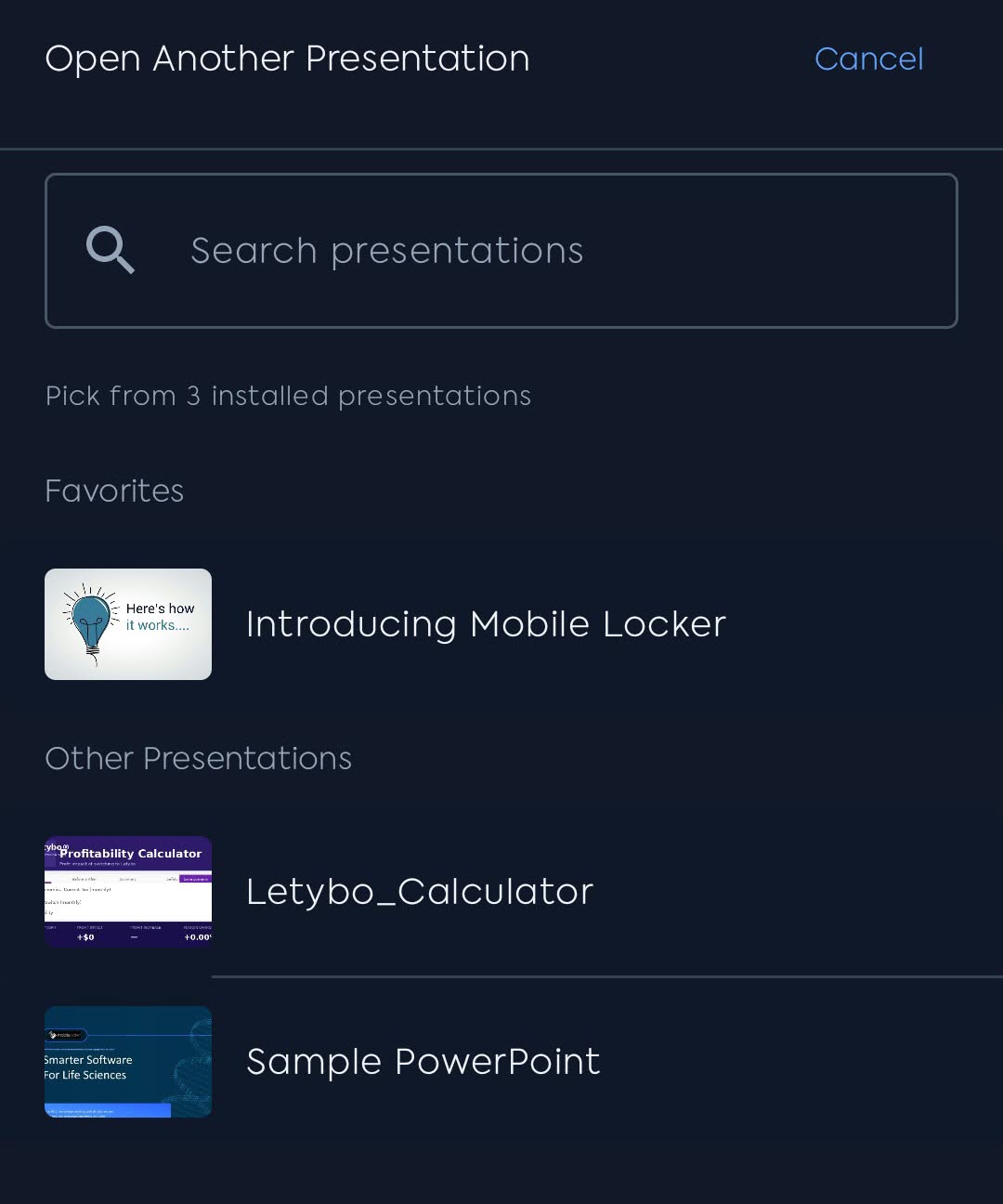
The sheet title is Open Another Presentation. Tap Cancel to stay on the current deck.
Choose a presentation
- Scroll the list, or type in Search presentations (matches the presentation name).
- Tap a row to open it.
When bookmarks are on and you have favorites that are installed, the list shows Favorites first, then Other Presentations A to Z. Search matches the name only.
Empty messages
- No presentations match your search.
- All installed presentations are open.
- No presentations available.
Troubleshooting
| Problem | What to do |
|---|---|
| A presentation is missing | Install it from Content Library. The open deck is hidden from this list. |
| The list is empty | Nothing else is installed, or every other installed deck is already open. |
| Search finds nothing | Search matches the name only. Try a shorter part of the name. |