
Permission and Established Business Relationship (EBR) for Fax Contacts
Faxing is an optional feature for an additional fee. Contact your Mobile Locker account manager to learn more about this functionality.
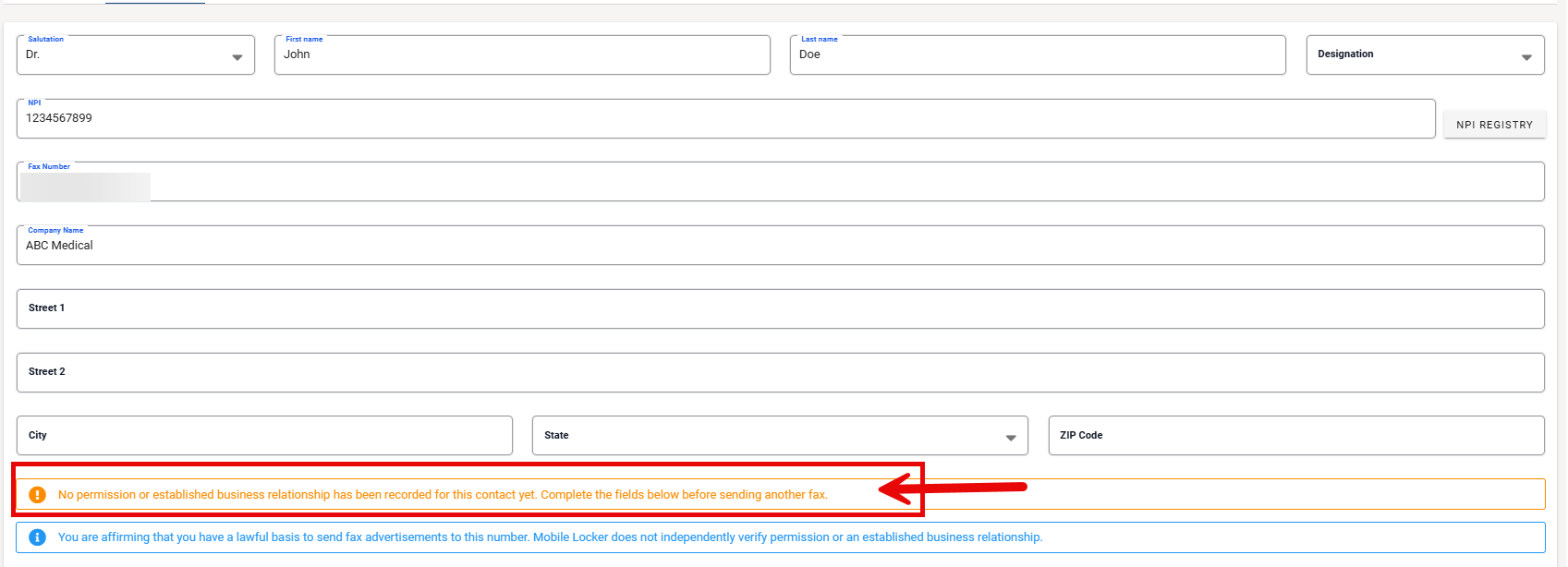
Before anyone on your team can fax a contact, Mobile Locker requires a permission basis on that contact. This creates an audit trail of who affirmed what and when. Mobile Locker does not verify underlying consent or business relationships—that remains your organization's responsibility.
Why is permission required
When creating or editing a fax contact, the user must select:
Prior express permission
The recipient (or their office) agreed to receive fax advertisements at this number—for example on a form, business card, email, or call.
Established business relationship (EBR)
There is an ongoing business relationship that your Legal or Compliance team accepts as supporting fax under applicable rules.
If EBR is selected, the user must also answer How was this fax number obtained?
| Option | Meaning |
|---|---|
| Provided by the recipient | Given in the course of the relationship (card, form, email, call, etc.) |
| Recipient's own directory or website | Listed publicly by the recipient and not marked "no unsolicited faxes" |
| Other source (verified) | From another source, with reasonable verification it was available for public distribution |
If the basis is later changed to prior express permission, the "how obtained" answer no longer applies.

Optional notes
Users may enter short Notes (for example, "CRM inquiry 2025-03-12" or "Sample request card"). This is a pointer to evidence your team keeps elsewhere—not a document repository.
Send blocking rules
| Condition | Can send? |
|---|---|
| Permission basis complete and valid | Yes |
| Permission not recorded | No |
| Unsubscribed | No (even if permission is on file) |
| Fax number changed since attestation | No until re-attested |
The Send Fax contact picker disables contacts that cannot receive sends and shows Permission not recorded where applicable.
Snapshot at send time
Each fax message stores a copy of the permission fields as they were when that fax was sent. Later edits to the contact do not rewrite history. Use message detail or CSV export to answer "what was on file at send time?"
Existing contacts and historical sends
- Contacts without attestation are labeled Permission not recorded and cannot be faxed until updated.
- Past messages may show Permission not recorded at send time in history and exports. Mobile Locker does not backfill attestation onto old sends.
Work with Legal on whether historical volume needs offline review.
Administrator guidance
- Publish internal policy on which basis types reps may use.
- Train reps to complete attestation when creating contacts, not at the last second before send.
- Use CSV export for audits.
- Do not treat Mobile Locker attestation as legal certification—maintain cards, forms, CRM notes, and do-not-fax lists per your program.